In the world of storage, solid-state drives (SSDs) have completely replaced traditional hard disk drives (HDDs) for anyone seeking speed, reliability, and efficiency. But with two dominant options on the market—NVMe SSDs and SATA SSDs—many users find themselves confused: Which one is right for my PC, laptop, or workflow? The answer depends on your performance needs, budget, system compatibility, and intended use case. In this guide, we’ll break down the key differences between NVMe and SATA SSDs, highlight our top products (the P8 NVMe SSD and K7 SATA SSD), and help you make an informed decision that aligns with your goals.
What’s the Difference Between NVMe SSDs and SATA SSDs?
Before diving into product specifics, it’s critical to understand the core distinctions between NVMe and SATA technologies. Both use 3D NAND flash memory for fast, reliable storage, but they differ in how they connect to your computer and how much performance they deliver—differences that directly impact your user experience.
1. Interface & Communication Protocol
SATA SSDs use the Serial ATA (SATA) interface, a legacy standard originally designed for mechanical HDDs. This interface limits data transfer speeds due to its older architecture, which was never optimized for the speed of flash memory. On the other hand, NVMe (Non-Volatile Memory Express) SSDs use the PCIe (Peripheral Component Interconnect Express) interface, which is specifically built for high-speed devices like SSDs. NVMe bypasses the outdated AHCI protocol used by SATA, allowing for direct communication with the CPU—unlocking drastically faster speeds and lower latency.
2. Speed & Performance
The biggest gap between NVMe and SATA SSDs lies in performance. SATA SSDs top out at around 550MB/s for sequential reads and 500MB/s for sequential writes, which is a massive upgrade over HDDs but pales in comparison to NVMe drives. NVMe SSDs, especially those using PCIe Gen 3.0 or higher, deliver sequential read/write speeds that are 3–4 times faster than SATA SSDs—perfect for tasks that demand rapid data transfer.
3. Form Factor & Compatibility
SATA SSDs typically come in the 2.5-inch form factor, making them easy to install in older desktops and laptops that have SATA ports—they’re a plug-and-play upgrade for anyone replacing an HDD. NVMe SSDs usually use the compact M.2 form factor, which saves space but requires your motherboard to have an M.2 slot (common in newer systems). It’s important to check your system’s specifications to ensure compatibility before choosing either type.
4. Use Cases & Practicality
SATA SSDs excel in budget-friendly setups, secondary storage, or older systems where speed isn’t the top priority. They’re ideal for everyday tasks like web browsing, office work, and media streaming. NVMe SSDs, meanwhile, are built for high-performance workflows: gaming, video editing, 3D modeling, data analysis, and any task that involves large file transfers or running resource-heavy applications. They reduce load times, improve multitasking, and boost overall system responsiveness.
Our Top SSDs: P8 NVMe SSD vs K7 SATA SSD
At our company, we’ve engineered two reliable, high-quality SSDs to meet different user needs: the P8 NVMe SSD for performance-focused users and the K7 SATA SSD for budget-conscious, compatibility-driven setups. Below is a detailed breakdown of each product’s specifications and advantages.
P8 NVMe SSD: Power & Speed for High-Demand Workflows
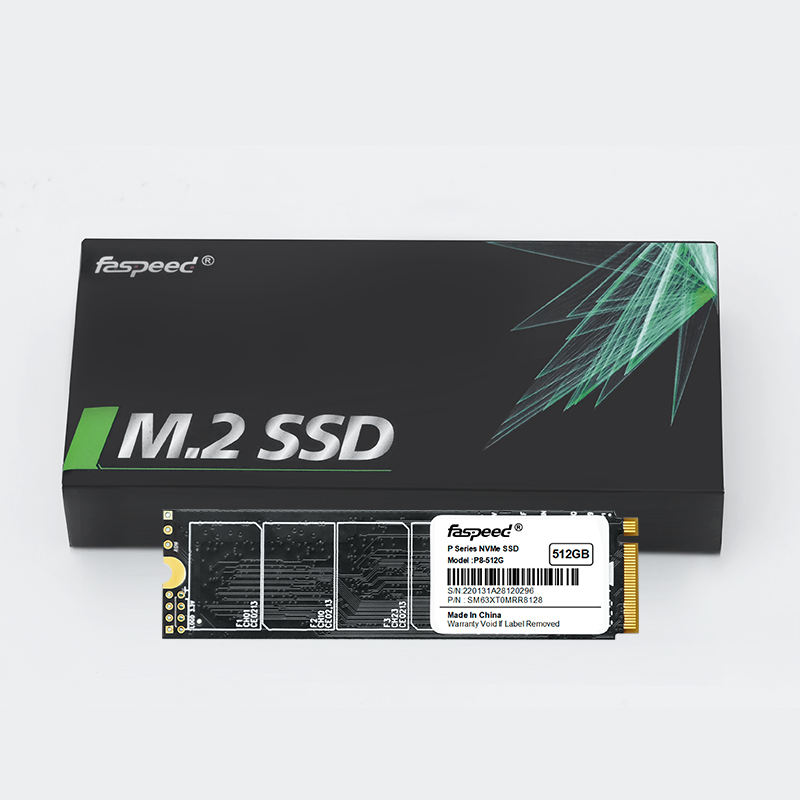
The P8 NVMe SSD is designed for users who refuse to compromise on speed. Built with PCIe Gen 3.0 x4 interface and NVMe 1.3 protocol, it delivers blistering sequential read speeds of up to 2000MB/s and sequential write speeds of up to 1600MB/s (performance may vary based on system hardware and configuration). Whether you’re a gamer looking to reduce game load times, a content creator editing 4K videos, or a professional handling large datasets, the P8 ensures smooth, efficient performance.
Key Specifications of the P8 NVMe SSD:
- Capacity Options:128GB, 256GB, 512GB, 1TB – perfect for primary storage or high-priority applications.
- Interface: PCIe Gen 3.0 x 4, NVMe 1.3 – optimized for fast data transfer and low latency.
- Form Factor: 80 x 22 x 2.38mm (M.2) – compact design saves space in desktops and laptops.
- Storage Memory: 3D NAND Flash – ensures durability, reliability, and consistent performance over time.
- Special Features: TRIM, GC (Garbage Collection), Device Sleep Mode, S.M.A.R.T – enhances drive longevity, optimizes performance, and allows for real-time health monitoring.
- Operating Temperature: 0 – 70 ℃ – reliable performance in standard computing environments.
- Warranty: Limited 3-year warranty – peace of mind for long-term use.
The P8 NVMe SSD is the ideal choice for modern desktops, gaming laptops, and workstations where speed and efficiency are non-negotiable. Its compact M.2 form factor makes it easy to install, and its 3D NAND technology ensures long-term reliability—even with heavy use.
K7 SATA SSD: Reliability & Affordability for Everyday Use
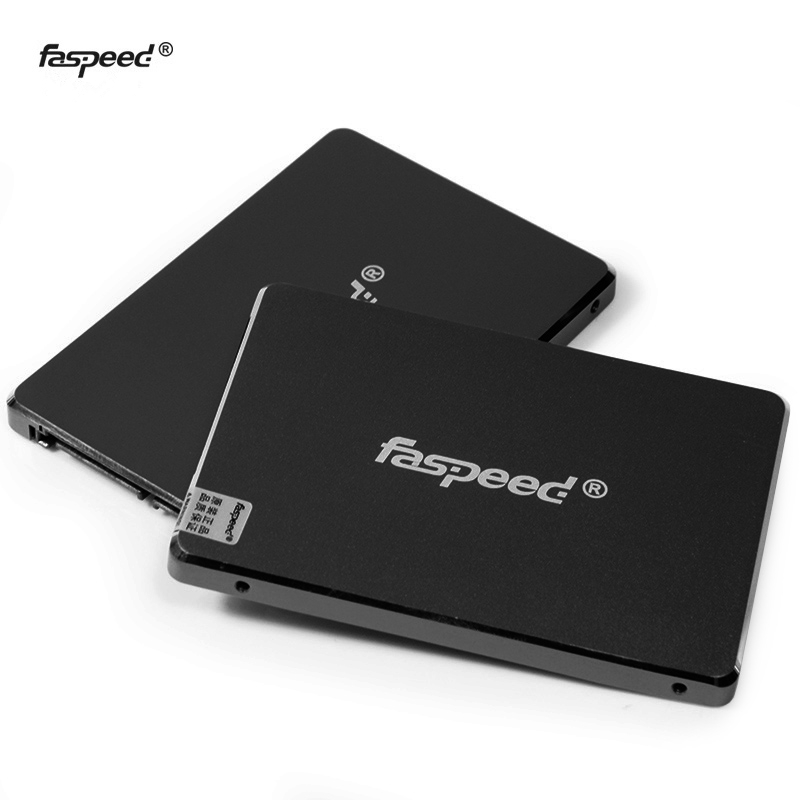
The K7 SATA SSD is built for users who want a reliable, cost-effective upgrade from HDDs or need compatibility with older systems. With a SATA Rev. 3.0 (6Gb/s) interface (backwards compatible with SATA Rev. 2.0), it delivers sequential read speeds of up to 500MB/s and sequential write speeds of up to 480MB/s—more than enough for everyday tasks and even casual gaming. The K7’s 2.5-inch form factor makes it a plug-and-play upgrade for almost any desktop or laptop with a SATA port.
Key Specifications of the K7 SATA SSD:
- Capacity Options: 128GB, 256GB, 512GB, 1TB, 2TB – flexible storage for primary or secondary use.
- Interface: SATA Rev. 3.0 (6Gb/s) – backwards compatible with SATA Rev. 2.0 (3Gb/s) for wide compatibility.
- Form Factor: 100 X 69.85 X 7mm (2.5-inch) – fits most desktops and laptops with SATA ports.
- Controller: SMI 2259XT2 – ensures stable performance and efficient data management.
- Storage Memory: 3D NAND Flash – delivers reliable performance and durability.
- Special Features: TRIM, GC (Garbage Collection), Device Sleep Mode, S.M.A.R.T – maintains drive health and optimizes performance.
- Operating Temperature: 0 – 70 ℃ – consistent performance in everyday environments.
- Warranty: Limited 3-year warranty – reliable support for long-term use.
The K7 SATA SSD is perfect for upgrading older PCs, adding secondary storage to a gaming rig, or building a budget-friendly system. Its backwards compatibility ensures it works with most systems, and its 3D NAND technology and SMI controller deliver consistent, reliable performance for years to come.
How to Choose: P8 NVMe SSD or K7 SATA SSD?
Now that you understand the differences between NVMe and SATA SSDs, and the strengths of our P8 and K7 models, here’s a simple guide to help you choose the right one:
Choose the P8 NVMe SSD If:
- You have a newer system with an M.2 slot (check your motherboard specs).
- You need fast sequential read/write speeds (e.g., gaming, video editing, 3D modeling, data analysis).
- You want to use the SSD as your primary drive for your operating system and resource-heavy applications.
- Performance is a higher priority than budget, and you need low latency for multitasking.
Choose the K7 SATA SSD If:
- You have an older system with only SATA ports (no M.2 slot).
- You need a budget-friendly upgrade from an HDD or a secondary storage drive.
- Your main tasks are everyday computing (web browsing, office work, media streaming, casual gaming).
- You need wide compatibility or a 2.5-inch form factor for your system.
Final Thoughts: NVMe vs SATA SSD in 2026
In 2026, NVMe SSDs remain the top choice for performance-focused users, while SATA SSDs continue to be a reliable, affordable option for everyday use and older systems. There’s no “one-size-fits-all” answer—your choice depends on your system, workflow, and budget.
Our P8 NVMe SSD delivers the speed and efficiency needed for high-demand tasks, while our K7 SATA SSD offers reliability and compatibility at a budget-friendly price. Both drives feature 3D NAND flash, essential performance-enhancing features (TRIM, GC, S.M.A.R.T), and a 3-year warranty—ensuring you get the best value for your investment.
Still unsure which SSD is right for you? Check your system’s specifications (M.2 slot vs SATA ports) and consider your daily tasks. If you need maximum speed, go with the P8 NVMe SSD. If you need affordability and compatibility, the K7 SATA SSD is the perfect fit.
Upgrade your storage today and experience the difference a high-quality SSD can make in your computing experience!